Why reviews matter so much
When a guest finds you on Google or the map, your rating and number of reviews are among the first things they see. It's not just the average that counts, but how recent the reviews are and how you reply to them. Ten reviews from three years ago don't build as much trust as thirty written in the last two months.
The good news: the most effective way to get more reviews isn't complicated. Ask guests at the right time, make it easy, and be honest about it.
The rules first: what not to do
Some common ways of collecting reviews break the rules. Google may remove those reviews, restrict new reviews on your profile, or add a warning to it.
- Don't offer incentives for reviews. "10% off for a review", a free drink or a gift breaks Google's rules, whether or not the review is positive.
- Don't ask only happy guests. Asking "Were you satisfied?" first and sending the Google link only to those who say yes is the "selective soliciting of positive reviews" that Google prohibits. The industry calls it review gating. Send the same review request to everyone.
- Don't discourage negative reviews. Pressuring a guest to change or delete a review, or offering something in return, is also prohibited.
- Don't review yourself. No reviews from you, your staff or friends. A review without a real stay is a fake review, even if it's well meant.
- Don't buy reviews. Services selling reviews in bulk put your profile at lasting risk.
These aren't just platform rules. In the EU, writing or commissioning fake reviews has been prohibited since 28 May 2022. In the United States, the FTC's rule on consumer reviews, in force since October 2024, bans fake reviews and incentives tied to a positive review. In Turkey, since 1 March 2022, only people who bought the product or service may post a review.
Booking.com works differently again: there, only guests who booked through Booking.com can write a review, and the invitation comes from the platform itself.
6 steps to more reviews
1. Ask everyone, the same way
Send the same review request to every guest who checks out. It keeps you within the rules and gives the most natural result: most happy guests don't write a review unless someone asks.
2. Ask at the right time
The best moment is the day after check-out. The experience is fresh, the guest is home, and they have time to look at their phone. A friendly reminder at check-out works too.
3. Give a direct link
Guests shouldn't have to search for you on Google. The Ask for reviews option in your Google Business Profile gives you a short review link. Put it in your message, and the guest reaches the review screen in one tap.
4. Use a QR code
Make a QR code from the same link and put it at reception, in the room or on a card you hand out at check-out. It's the easiest route for walk-in and phone guests who didn't give an email address.
5. Keep it short and personal
Start with the guest's name, say thank you, give the link. No long explanations needed. You'll find ready-made texts in section 7 of our guest message templates guide.
6. Remind once at most
One polite reminder a few days later is enough. More than that annoys guests.
Fix problems before they become reviews
Most bad reviews come from a problem the guest couldn't raise, or that wasn't solved, during the stay. Solving it before they leave works far better than replying afterwards.
- On day two or three, send a short "Is everything going well?" message.
- Give guests an easy channel for complaints, and mention it at check-in.
- Respond to requests quickly. The AI receptionist Mira turns in-stay messages like "the AC isn't working" or "could we have more towels?" into cards on your team's guest requests board, so nothing slips through.
Reply to every review
Replies aren't only for the guest who wrote the review; they're for everyone who reads it later. Write a short, personal thank-you to positive reviews too; copy-pasted replies look careless. Reply within a day or two if you can.
5 steps to answering a bad review
- Say thank you. The guest took the time to write, and other guests reading your reply will notice that you appreciate it.
- Acknowledge the problem. Say clearly where they're right, and apologize. Don't get defensive.
- Explain briefly and calmly. If needed, say in one sentence what happened. Don't argue with the guest.
- Say what you changed. A concrete step such as "we've replaced the air conditioners" or "breakfast now runs later" is the strongest answer for readers.
- Take it offline. Give a phone number or email. Never share booking details, the guest's full name or other personal information in a reply.
Reply templates
Replace the square brackets with your own details, and personalize every reply to the review.
Thanking a positive review
Thank you so much for your kind review, [Name]! Your words about [what the guest praised] made our whole team happy. We look forward to welcoming you back.
Replying to a fair complaint
Thank you for your review, [Name]. We sincerely apologize for your experience with [issue]; it falls short of our standards. Following your feedback, [the change you made]. We'd be glad to talk it through with you personally at [phone/email].
Replying to an inaccurate or exaggerated review
Thank you for your feedback. We're sorry your stay didn't meet your expectations. We'd like to briefly clarify [topic]: [short, calm and accurate explanation]. We'd welcome the chance to understand your experience better; please reach us at [phone/email].
Replying to a low rating with no comment
Thank you for your rating. We'd love to know what we could have done better during your stay; please write to us at [phone/email].
If a review breaks the rules
You can't delete a Google review yourself. If a review is fake, comes from someone who didn't stay, or contains insults or personal information, you can report it from your Google Business Profile. Google reviews it and removes it if it breaks the rules. In the meantime, post a short, calm reply; readers will see how you handle it.
Show your reviews on your own page
Guest reviews on your website or property page build trust, but only show reviews from real stays, and don't copy review texts from other sites. EU rules also require you to explain how you check that reviews come from real guests.
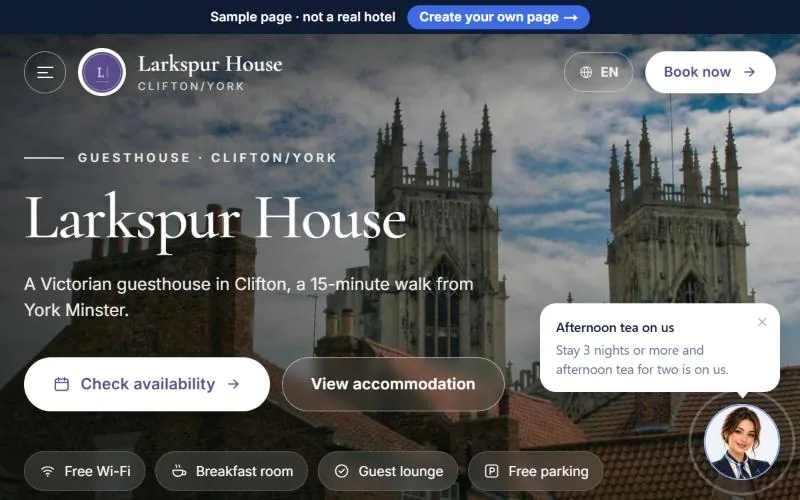
On the free property page AIroomier provides on airoomier.com, only reviews from real stays that the guest allowed to be published are shown, with a "✓ Verified stay" label; reviews can't be written or edited by hand in the dashboard. Your reviews on Google, Booking.com and Tripadvisor are shown through buttons that link to those sites, visible to everyone.